
Panel
The Panel is the landing page of the Platform dashboard. It provides a high-level view of account status, recent usage, provider breakdown, and API key management. If you want a quick snapshot of what’s happening (spend, requests, and activity), this is the place.
This page is primarily for visibility (usage and spend), plus a few operational actions like creating or revoking API keys and adding funds.
Balance and usage snapshot
At the top of the Panel, you’ll typically see a compact set of metrics designed to answer one question fast: “What’s my current usage situation?”
- Balance: available funds on the account.
- Monthly Spend (30d): total spend over the last 30 days, often paired with total request count.
- Avg cost / request (30d): average cost per request over the same period.
- Providers (30d): cost grouped by provider (for example, OpenAI, Google).
These metrics are meant for quick monitoring. If you need deeper analysis or fine-grained controls, you’ll typically move from here to Billing or API Management.
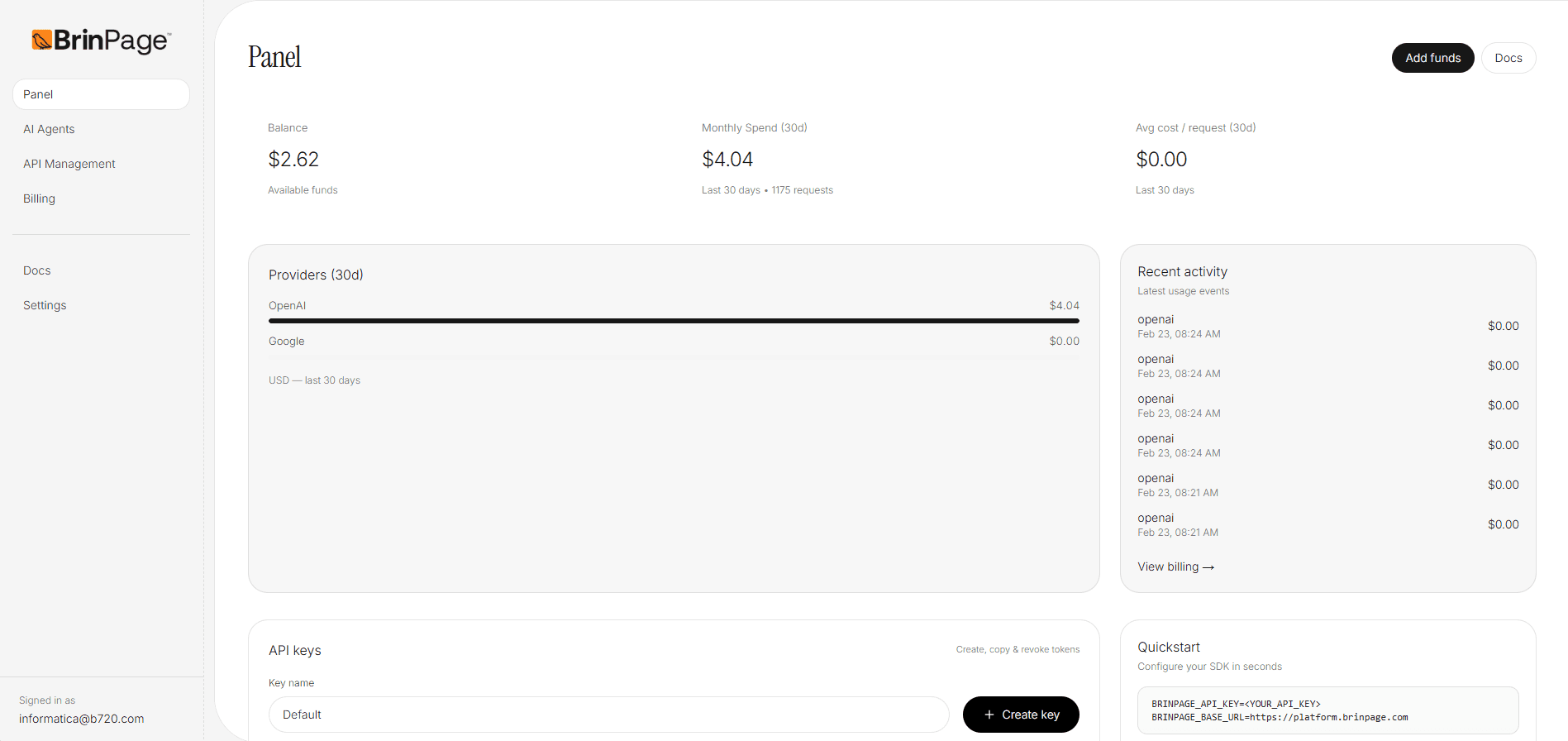
Providers (30d)
The provider breakdown groups cost by provider over the last 30 days. This is useful when:
- You route traffic across multiple model providers.
- You want to spot sudden cost shifts by provider.
- You are validating whether routing decisions match expectations.
Note: numbers shown here are a summary view. For complete billing details (invoices, payment methods, credits, plan information), use the Billing section.
Recent activity
Recent activity shows the latest usage events. This is a quick operational tool for: validating that requests are flowing, confirming provider usage, and spotting anomalies (unexpected spikes, repeated failures, or unusual patterns).
Each event typically includes:
- Provider (for example, openai).
- Timestamp of the event.
- Cost for the event (when available).
If you need to investigate spend or usage in detail, the fastest path is usually: Panel → Billing (for finance) or Panel → API Management (for model/routing parameters).
API keys
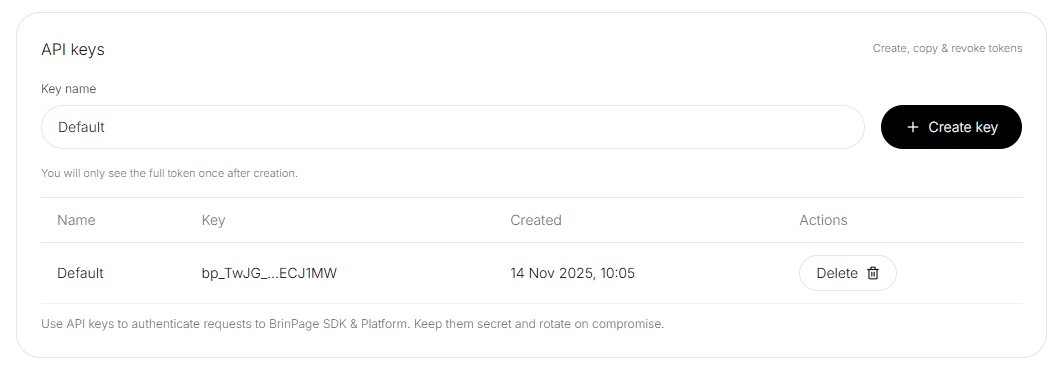
The API keys section is where you create, copy, and revoke tokens used to authenticate requests from your backend to the Platform API (and any supported SDKs). This is an operational area: treat it like production infrastructure.
- Click Create key to generate a new token.
- You will only see the full token once immediately after creation.
- Existing keys are shown in a table with metadata (name, created date) and actions (for example, delete/revoke).
Recommended operational practices:
- Keep keys server-side (never embed them in browser code).
- Rotate keys if you suspect exposure or compromise.
- Use meaningful names (environment/app/service) to prevent accidental deletions.
- Revoke unused keys to reduce attack surface.
Quickstart
The Quickstart block provides a minimal environment configuration template to get you moving fast. It typically includes an API key and a base URL that your backend uses to call the Platform API.
General guidance:
- Store environment variables in your server environment (hosting platform, secrets manager, CI/CD).
- Avoid copying secrets into client-side code or public repositories.
- If you need multiple environments (dev/staging/prod), use separate keys and clear naming.
From here you can open the documentation for step-by-step integration instructions and best practices.
Add funds
If your account uses a prepaid balance model, you’ll see an Add funds action on the Panel. This is typically used to keep your balance above operational thresholds so requests can continue without interruption.
What to do next
Most users follow one of these paths after checking the Panel:
- Configure models and request parameters in API Management.
- Review payments, credits, invoices, and plan details in Billing.
- Create operational routing and automation behavior using AI Agents.
Need billing details or payment settings? Go to Billing.
Billing